
WordPress Page Builders: Powering User Websites with Ease or Complexity?
Page builders have made WordPress accessible to everyday users, letting anyone create stunning sites without coding skills. They replace the standard block editor with intuitive drag-and-drop interfaces, but their effects on site maintenance, stability, and updates deserve close examination for long-term success.
What Page Builders Do
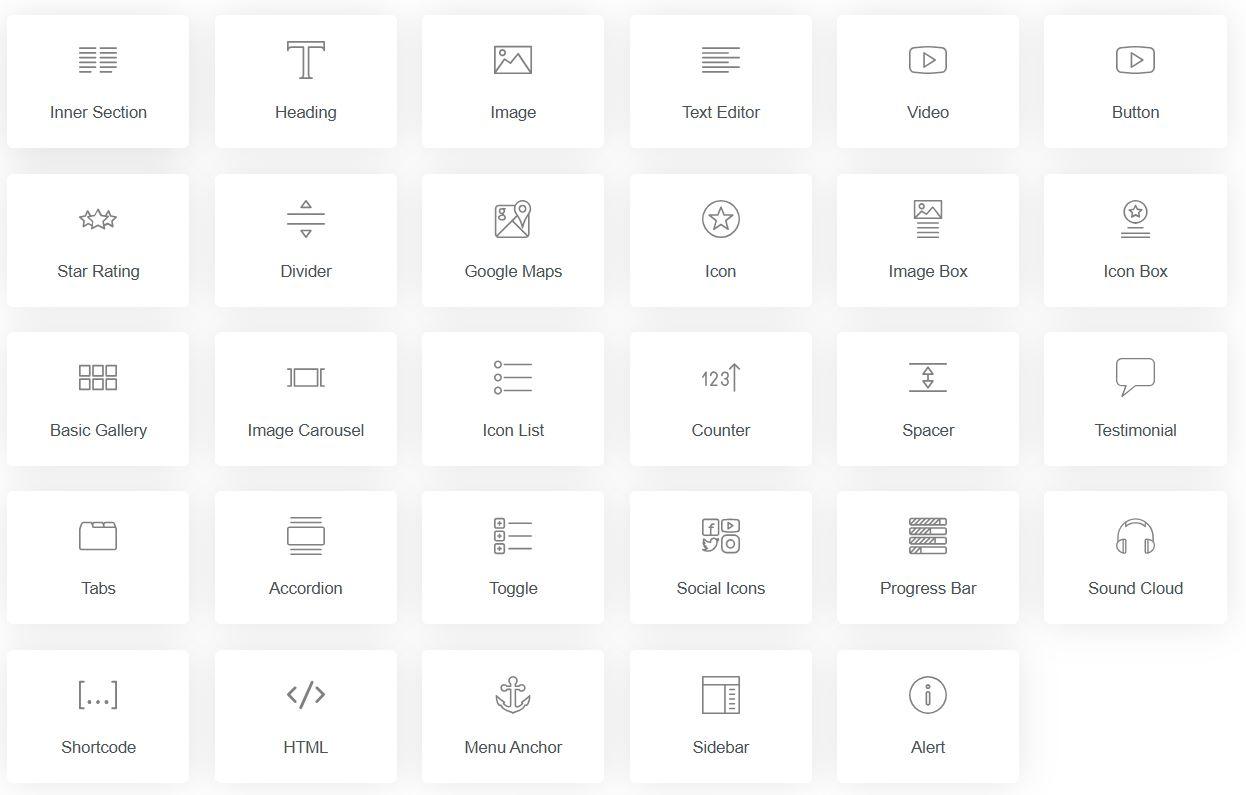
Page builders turn WordPress into a visual design playground. Instead of wrestling with HTML or the Gutenberg editor, users drag elements like buttons, galleries, forms, and hero sections onto a live canvas, tweaking styles in real-time.
The process is straightforward:
- Install and activate the plugin.
- Edit any page or post visually.
- Stack and customize pre-made widgets.
- Hit publish—shortcodes and custom HTML generate behind the scenes.
This speeds up personal blogs, portfolios, or small business sites from scratch, perfect for end-users managing their own online presence.
Impact on Maintenance
While page builders shine for quick setups, they can turn routine upkeep into a chore over time.
Advantages:
- Easy content updates: Change text, images, or layouts yourself without developer help.
- Reusable templates for consistent updates across pages.
Drawbacks:
- Code Bloat: Builders like Elementor or Divi often produce bloated pages (100KB+ of CSS/JS), making sites sluggish and harder to optimize.
- Lock-In Risk: Proprietary code means migrating to another builder (or back to Gutenberg) requires rebuilding pages from scratch.
- Plugin Conflicts: Theme or WordPress core updates can break layouts, forcing manual fixes.
For end-users, this means lightweight builders save headaches long-term. Regular cleanups—like removing unused assets—are essential to avoid snowballing maintenance.
Stability and Performance Breakdown
Not all builders are equal in reliability. Heavy ones load dozens of scripts, harming load speeds, while lean options stay snappy.
- Frontend Overhead: Elementor/Divi can drop Lighthouse scores to 40-60 on mobile due to excessive JS.
- Database Strain: Dynamic elements constantly query your hosting, slowing response times.
- Breakage Potential: Overloaded pages (e.g., 100+ widgets) crash on memory limits.
Stability Comparison:
| Builder | Stability Rating | Key Strengths/Issues |
|---|---|---|
| Bricks | 9.5/10 | Clean, efficient code; minimal conflicts |
| Oxygen | 9.2/10 | Precise control; rare theme clashes |
| Beaver Builder | 8.8/10 | Dependable; slower on visuals |
| Gutenberg + Blocks | 8.5/10 | Core-safe; basic by default |
| Elementor | 7.5/10 | Feature-rich; Pro updates buggy |
| Divi | 7.0/10 | Versatile; JS overload common |
User Tip: Pair with caching plugins like WP Rocket and image optimizers. Test on staging sites before live changes.
Update Frequency and Adoption Stats
Active development keeps builders secure, but too many changes risk instability.
2026 Snapshot:
- Elementor: Bi-weekly releases (13M+ installs, 5M active)—community-driven fixes.
- Divi: Weekly pushes with AI tools (3M+ installs).
- Bricks: Monthly, performance-first (500K+ and surging).
- Oxygen: Quarterly for stability (200K installs).
- Gutenberg Extensions: Ties to WP core (3-6/year), growing 30% YoY.
Popularity Leaders:
- Elementor—Most installed/active; free version hooks millions.
- Divi—Lifetime access retains users.
- Gutenberg + Kadence/GenerateBlocks—Default on all WP sites.
- Beaver Builder—1M+ for reliability.
- Bricks—Fastest growth for speed demons.
- Oxygen—Niche for perfectionists.
- Breakdance—Emerging contender (100K+).
Elementor leads sheer numbers; Bricks wins “most active updates” in performance niches.
Top Players Explored
1. Elementor (13M Installs)
- Why Popular: Drag-and-drop bliss, 300+ templates, WooCommerce integration.
- Pricing: Free core; Pro $59/year (single site) to $399 (1,000 sites).
- User Fit: Beginners building shops or portfolios.
2. Divi (3M Installs)
- Standouts: 2,000+ layouts, theme builder, A/B testing.
- Pricing: $89/year or $249 lifetime.
- User Fit: All-in-one for blogs evolving into sites.
3. Bricks (500K+, Rapid Rise)
- Edge: Semantic code, fluid layouts—no bloat.
- Pricing: $99/year or $249 lifetime.
- User Fit: Performance obsessives.
4. Oxygen Builder (200K)
- Power: Full-site control, no theme needed.
- Pricing: $99-$199 one-time.
- User Fit: Advanced users wanting clean output.
5. Beaver Builder (1M+)
- Rock-Solid: Plays nice with everything.
- Pricing: $99-$399/year.
- User Fit: Set-it-and-forget-it stability.
Adoption Table:
| Builder | Installs | Active Users | Annual Updates |
|---|---|---|---|
| Elementor | 13M | 5M | 25+ |
| Divi | 3M | 2M | 50+ |
| Gutenberg Ext. | 60M+ | All WP | Core-paced |
| Bricks | 500K | 300K | 12 |
| Oxygen | 200K | 150K | 4 |
SEO, GEO, and AIO Impacts
Page builders directly affect search visibility through speed and structure.
SEO (Search Engine Optimization):
- Leaders: Bricks, Oxygen, Gutenberg—generate clean, fast-loading code for top Core Web Vitals (Google’s ranking factor).
- Laggards: Elementor/Divi need tweaks (e.g., asset minification) to hit 90+ Lighthouse scores.
- Proof: Lightweight builders boost rankings 10-20% via faster LCP/INP; schema support is native across top options.
GEO (Generative Engine Optimization):
- GEO optimizes for AI-driven search engines (Perplexity, ChatGPT) by emphasizing structured, semantic content over keyword stuffing.
- Winners: Bricks/Oxygen output clean HTML with proper headings, lists, and microdata—AI scrapers parse them effortlessly for summaries/answers.
- Edge: Gutenberg extensions like Spectra add GEO-friendly blocks (e.g., FAQ schema). Heavy builders dilute signals with inline styles, reducing AI snippet wins.
- Data: GEO-tuned sites see 15-30% more AI referrals; test with tools like Frase or Clearscope.
AIO (AI Optimization):
- AI tools now generate/train on site content; builders with semantic markup excel.
- Top Performers: Divi/Elementor offer built-in AI (text/images); Bricks prioritizes crawlable structure for broader AIO.
- Proven: Native Gutenberg + AI blocks (e.g., GenerateBlocks AI) outperforms for long-term AI indexing, as crawlers favor lightweight, logical DOM.
Performance Matrix:
| Builder | SEO Score | GEO Strength | AIO Fit | Lighthouse Avg. |
|---|---|---|---|---|
| Bricks | Excellent | High (semantic) | Strong | 95+ |
| Oxygen | Excellent | High | Strong | 94 |
| Gutenberg | Good | Excellent | Best | 92 |
| Elementor | Fair (opt.) | Medium | Good (AI tools) | 70-85 |
| Divi | Fair | Medium | Good | 65-80 |
Prioritize Bricks/Gutenberg for future-proof SEO/GEO/AIO.
End-User Best Practices
- Start Lean: Gutenberg for simple sites; scale to Bricks if needed.
- Optimize Ruthlessly: Perfmatters + Autoptimize for bloat control.
- Backup First: UpdraftPlus before every update.
- Test Migrations: Export JSON; rebuild in lighter builders.
- Monitor Vitals: Google PageSpeed + GTmetrix weekly.
The Road Ahead
AI will auto-generate layouts (Elementor AI leads), Gutenberg matures into a full builder, and GEO/AIO demand cleaner code. By 2028, expect hybrid native tools dominating.
Key Takeaway: Elementor/Divi suit quick wins; Bricks/Oxygen/Gutenberg win for sustainable, SEO/GEO/AIO-optimized sites. Demo three on a test site—your future self thanks you.